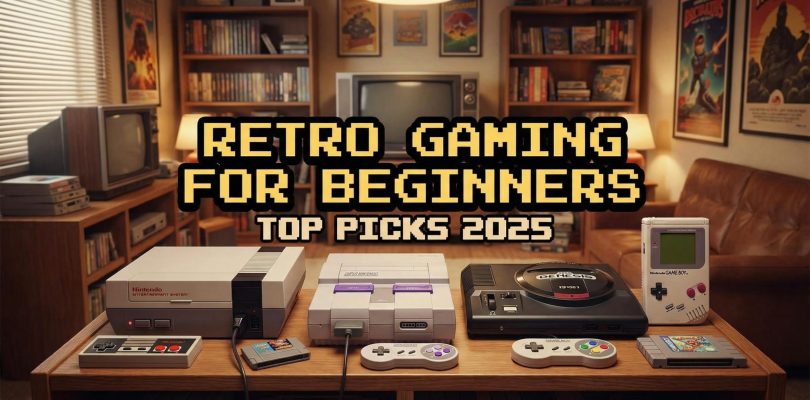
If you have ever thought about stepping back in time and enjoying classic games, you might be wondering where to start. With so many devices out there, choosing the best beginner-friendly retro consoles can feel overwhelming. The good news is that many modern retro systems have grown more powerful, portable, and accessible, so you can dive into nostalgic fun right out of the box. Below, you will find an overview of what makes retro gaming so appealing, what features suit beginners best, and a rundown of top console picks to kickstart your adventure.
Celebrate nostalgia with retro games
Retro gaming still captivates players of all ages. Whether it is the 8-bit graphics of the NES or the arcade-perfect feel of your favorite 1990s fighting game, classic titles represent an era of creativity and simple mechanics that continue to charm new fans. When you pick up a beginner-friendly console, you can quickly join in the fun without worrying about complicated setups or pricey accessories.
Why classic titles endure
- Straightforward gameplay: Many older games have fewer controls and simpler interfaces, making them quick to learn.
- Memorable designs: Iconic characters, retro soundtracks, and pixel art invoke a sense of nostalgia even if you did not grow up playing them.
- Relaxed vibe: Unlike modern games that may require patches or large downloads, retro libraries often let you jump right in and play.
Focus on user-friendly features
Before you commit to a console, consider features that cater to newcomers. A device that is ready to use right after unboxing can save time and reduce frustration. Below are some key aspects to keep in mind if you want a smooth start.
Pre-loaded games
Many retro devices come with pre-installed game libraries. This feature spares you from having to hunt down cartridges or figure out how to load ROMs. You can dive straight into playing, which is perfect if you’re just starting out. However, watch out for overly generic game lists or low-quality SD cards. If you do receive a pack-in SD card, experts often suggest upgrading to a reliable brand name card.
Intuitive interface
The fewer steps between turning on your console and playing a game, the better. Look for systems that boot quickly and lay out the game library in a clear, organized menu. Some consoles even run custom operating systems like Garlic OS, Onion OS, FunkeyOS, or specialized Linux-based platforms that simplify navigation.
Comfortable controls
Controllers or built-in button layouts should feel good in your hands, especially if you plan on extended gaming sessions. Sturdy buttons and responsive directional pads make a noticeable difference. If you are shopping in person, do a quick grip test on the console or controller. Small improvements here can transform your overall experience.
Explore top handheld consoles
Handheld retro consoles are perfect if you like to play on lunch breaks, long commutes, or curled up on the couch. Modern handhelds provide lightweight designs, decent battery life, and enough power to emulate classic systems.
Key handhelds to consider
- ANBERNIC RG35XXSP
- Why it stands out: Clamshell construction reminiscent of the Game Boy Advance SP, a bright 3.5″ 640×480 display, and an H700 CPU that can handle PlayStation 1, Game Boy Advance, Nintendo 64, and even some Dreamcast titles.
- Who will love it: If you want a beginner-friendly handheld that folds neatly for travel, this might be your go-to. Its affordable price point seals the deal.
- Game Kiddy Pixel
- Why it stands out: Ultra-portable form factor with a durable metal shell and a 2.4″ screen.
- Who will love it: Anyone seeking a highly compact device for short bursts of retro gaming. It can handle most titles up to PlayStation 1. The trade-off is a smaller battery, so keep a charger handy.
- TRIMUI Brick
- Why it stands out: Premium design, a 3.2″ high-resolution display, and custom Linux OS. You can emulate games up to Dreamcast.
- Who will love it: Avid collectors looking for an elegant, artistic design. If you prefer an analog stick, you will need to switch into joystick mode, but that feature might please gamers who like customization.
- Funkey S
- Why it stands out: Extremely compact and still manages to emulate games up to the PlayStation 1 era. FunkeyOS is minimal and straightforward.
- Who will love it: Gamers who prefer a tiny, foldable console they can tuck into any pocket. Despite the small size, it packs plenty of power for classic gaming.
- Retroid Pocket Mini
- Why it stands out: Runs on Android and features a Snapdragon 865 CPU for more demanding titles. Emulates even GameCube and some PlayStation 2 games.
- Who will love it: Anyone seeking a handheld that is both pocket-friendly and powerful. You can install additional apps, turning it into a versatile entertainment hub.
Budget-friendly alternatives
- Anbernic RG35XX (standard model): A favorite among newcomers for its straightforward performance and decent selection of pre-loaded titles. If you install Garlic OS, you can significantly boost the user experience.
- Miyoo Mini Plus: Praised for its compact form factor and user-friendly Onion OS, which makes it simple to navigate and find games.
- Retroid Pocket Flip: Embraces a clamshell design with solid performance, earning “handheld of the year” status from some enthusiasts.
- TrimUI Smart Pro: Approximately $50 during sales, this console offers a good balance of affordability and functionality.
- Anbernic RG35XX Pro: Slightly more advanced than the standard RG35XX, appreciated for smooth emulation of many classic titles.
- Retroid Pocket 5: Allows easy loading of custom ROMs via micro SD card, making it a great option if you want more control over your library.
Try easy home retro setups
If you would rather game on the big screen, home-based retro systems might be your top choice. These come in various forms, from modern consoles with retro libraries to miniature replicas of classic systems.
Console classics that are easy to adopt
- Nintendo Switch + Nintendo Switch Online
- Why it stands out: With a yearly subscription costing around $20, you can access older Nintendo titles from systems like the NES, SNES, and even Sega Genesis as of 2025. There is also an Expansion Pack option ($50 annually) for more game libraries.
- Perfect for you if: You want an all-in-one modern gaming device with a reliable retro catalog. The casual interface and portable design also make it a good family system.
- Sony PlayStation 5 + PlayStation Plus Premium
- Why it stands out: The “Classics Catalog” included in PS Plus Premium features retro PlayStation 2 and PlayStation 3 games.
- Perfect for you if: You primarily game on a PlayStation platform but still want to revisit older titles. This subscription-based model keeps setup simple.
- Xbox Series X + Game Pass
- Why it stands out: Microsoft’s robust backward compatibility for original Xbox and Xbox 360 games. Paired with Game Pass, you get immediate access to a rotating library of classics.
- Perfect for you if: You already have an Xbox or are looking to play older Xbox and Xbox 360 favorites seamlessly.
Budget TV box options
- Nvidia Shield 2019: Known for its powerful Android-based capabilities. It can run retro emulators smoothly, so if you want a streaming device that doubles as a retro console, this is a strong pick.
- Walmart Onn TV Box: A more budget-friendly Android TV option that can handle classic emulation. If you want to keep costs low, it is worth considering.
Consider cartridge-based classics
Some gamers love the tactile experience of inserting a cartridge. In response, various companies create modern replacements for older consoles. These typically provide HDMI output and enhanced features while staying true to the original design.
Noteworthy FPGA-based consoles
- Analogue Pocket: Perfect for Game Boy, Game Boy Color, and Game Boy Advance cartridges. Offers top-notch build quality, excellent screen resolution, and FPGA hardware for accurate emulation.
- Analogue Super Nt: A modern spin on the classic SNES console. If you still have a library of SNES cartridges, this device allows you to play them in crisp quality on modern TVs.
Pro tips for new collectors
Even the best beginner-friendly retro consoles can benefit from a few expert tricks. With a little effort, you can significantly improve performance and add more games to your collection.
Avoid low-quality SD cards
Many beginner systems come with a stock SD card that may hold thousands of games. Although the sheer volume of titles might look appealing, these cards can fail easily. Investing in a high-quality card from a well-known brand reduces the risk of corruption or lost save files. It can also improve loading times and device stability.
Try custom OS for better performance
Certain handhelds and even some home-based consoles allow you to replace or override the default operating system with a specialized OS. For example, the RG35XX works wonders once you install Garlic OS, and the Miyoo Mini Plus is often praised with Onion OS. These custom systems streamline your library and offer better compatibility, so you spend more time playing and less time tweaking.
Other noteworthy beginner-friendly picks
Not every retro console falls neatly into a handheld or major home console category. The following devices offer either a unique twist or an ultra-budget option if you just want to dip your toes into retro gaming.
- Saker X9 Retro Game Console
- What it is: A handheld with 64GB of storage, preloaded with 20,000+ games. Comes with an IPS screen and the ability to connect to a TV.
- Who will appreciate it: Anyone wanting to share retro gaming with family or friends, especially if you like the option to play on a bigger screen.
- 2026 Upgraded Retro Gaming Console
- What it is: A 4K HDMI TV stick that plugs into your television, preloaded with over 20,000 games and featuring 23 emulators. It includes two wireless controllers.
- Who will appreciate it: Households that want a simple, plug-and-play approach to large-scale retro gaming without multiple wires or complicated setup steps.
- My Arcade Atari Gamestation Pro
- What it is: A console loaded with 200+ Atari classics spanning the 2600, 5200, 7800, and more. Includes wireless joysticks and retro-style LED lighting.
- Who will appreciate it: If you have fond memories of older Atari games, this station is a user-friendly way to revisit them without rummaging for physical cartridges.
- Mini retro consoles
- What they are: Compact replicas of iconic devices, such as the Nintendo NES Classic Edition or Super NES Classic Edition. They come preloaded with a curated game lineup.
- Who will appreciate them: Collectors looking for a neat, nostalgic display piece that is also easy to use. The only downside is that older mini consoles are sometimes rare or expensive on secondary markets.
Final thoughts to remember
The best beginner-friendly retro consoles come in all shapes and sizes, but the goal remains the same: quick, convenient access to classic games. Whether you opt for a sleek handheld like the Anbernic RG35XXSP or a versatile home console setup like a Nintendo Switch with an online library, you have plenty of choices to replay legends from the arcade golden age or discover hidden gems for the first time.
As you make your pick, focus on features that matter most to you—portability, pre-loaded games, or nostalgic authenticity. Ensuring you have a reliable SD card and considering a custom OS can also make a world of difference. With these pointers in hand, you are ready to jump into the world of retro gaming and start your journey toward pixel-perfect adventures. Enjoy exploring timeless titles and discovering new favorites, all while celebrating the joy of classic gaming.